1. Download the StrongSwan VPN application from the Google Play Store (Play Market) or from the ru.rvpn website.
APPLICATION SCREENSHOT IN THE STORE
2. When you first open the application, you need to click “Allow” in the “Connection Request” popup window.
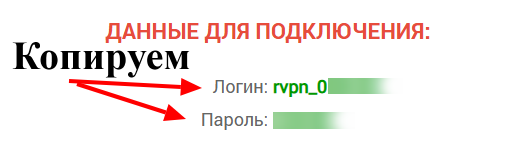
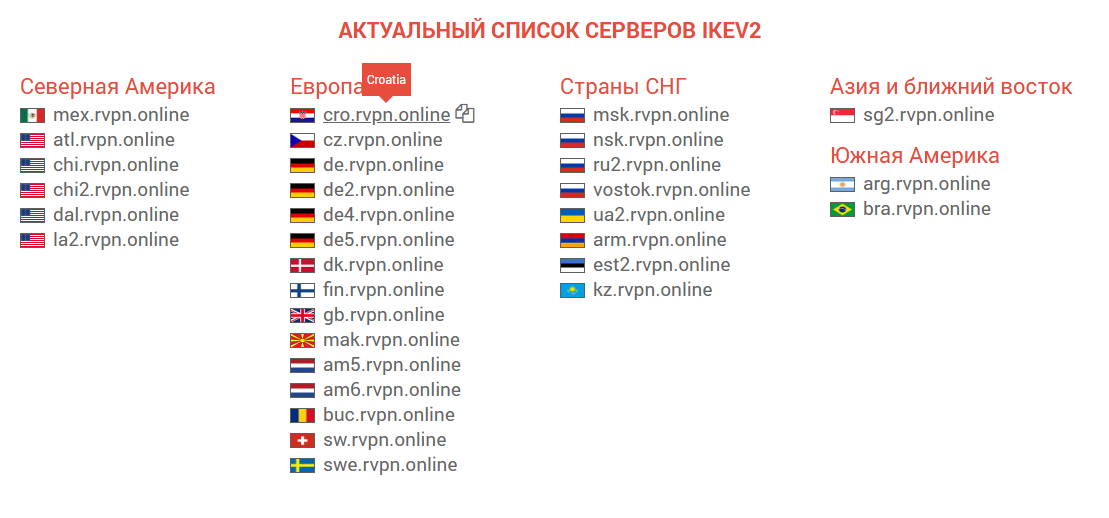
3. On the ru.rvpn website, in the “Current List of IKEV2 Servers” section, click on the desired location to copy the data.
4. In the “StrongSwan VPN” application, click on “Add VPN/Add VPN profile” and paste the data copied from the website into the “Server” field.
5. In the “Username/Username” field, enter the login specified on the website. In the “Password/Password” field, enter the password specified on the website.
6. Add a configuration name if needed, so you don’t get confused. (“Profile name” field)
7. To enable the VPN, click on the connection you created. Upon successful connection, you will see “Connected” in the status field.