1. Go to the Settings section on your device.
2. Click on the “VPN” field, then click the “Add VPN Configuration” button and select IKEv2 from the dropdown list.

3. On the ru.rvpn website in the “Current List of IKEV2 Servers” section, click on the desired direction to copy the data.
4. In the “Description” field, enter the name of the direction so you can navigate when adding additional connections.
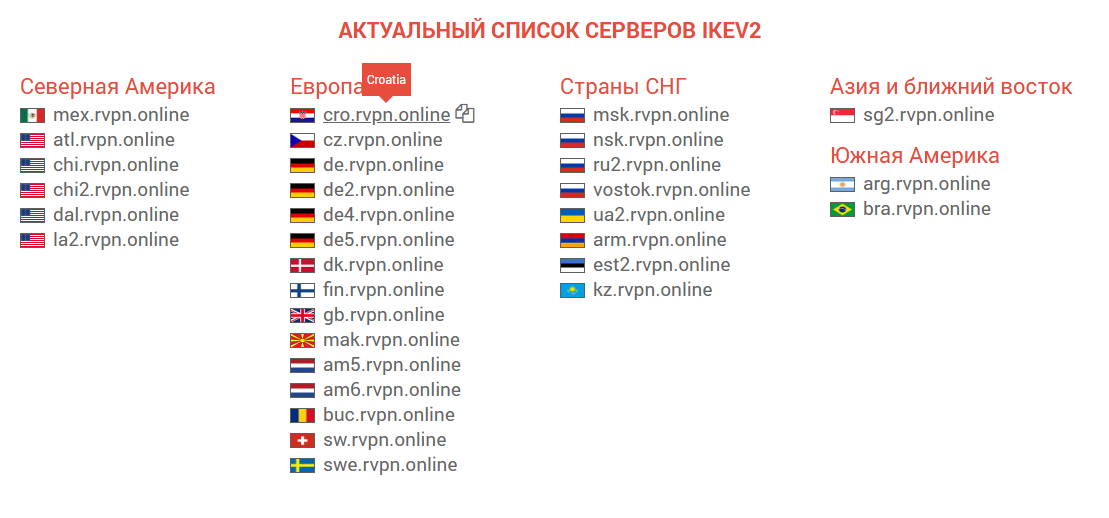
5. In both fields, “Server” and “Remote ID”, paste the data you previously copied from the ru.rvpn website.
6. In the “Username” and “Password” fields, paste your credentials found on the ru.rvpn website in the “Connection Data” field.
7. Click “Done” and to connect to the VPN, click on the added configuration - it should be marked with a checkmark. Then click the slider to move it to the “Connected” position and it will be highlighted in color.